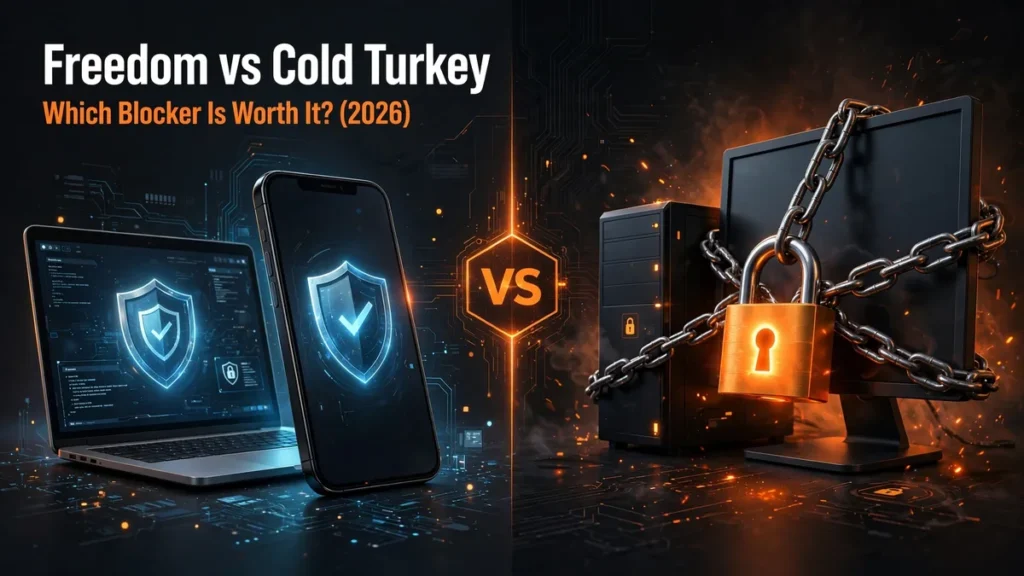
Here is the verdict up front, because you probably opened this tab during a break you did not plan to take. Buy Freedom if your distractions follow you from laptop to phone and back — it covers every device you own under one synced schedule. Buy Cold Turkey if the computer is the whole problem and your real enemy is yourself: on a desktop, nothing else is as hard to cheat. Everything below is the evidence, the pricing math, and the honest tradeoffs behind those two sentences.
Freedom vs Cold Turkey at a Glance
| Freedom | Cold Turkey | |
|---|---|---|
| Platforms | Windows, Mac, iOS, Android, Chromebook, Linux (via Chrome extension) | Windows and Mac only — no phone app |
| Pricing | Free to start; Premium runs $8.99 a month or $39.99 a year; the Forever plan is a single $199 payment | Free tier available; Pro is a one-off payment of roughly $39–$45, updates included for life |
| Cross-device sync | Yes — one blocklist and schedule across all devices | No |
| Lock strength | Premium’s Locked Mode blocks you from quitting a session early | Locks based on random text, passwords, restarts or time ranges; Frozen Turkey can lock the entire computer |
| Scheduling | Recurring weekly schedules (Premium) | Scheduled blocks (Pro) |
| Free version | Limited number of free sessions | Basic website blocking, but blocks can be cancelled |
| Best for | People distracted on phone and computer who want one system | Desktop users who need a block they cannot talk themselves out of |
Freedom: The Blocker That Follows You Everywhere
Freedom’s founding idea is simple: blocking Twitter on your laptop accomplishes nothing if your phone is sitting right there. So a Freedom session runs everywhere at once — start a two-hour focus block and your Windows PC, Mac, iPhone, Android phone, and Chromebook all go quiet together, driven by the same blocklist and the same schedule.
The scheduling is the feature long-term users rave about. Premium lets you build recurring sessions — say, 9 to 12 every weekday — so willpower stops being a daily decision. Locked Mode, also Premium, prevents you from ending a session early or editing your blocklists mid-session, which closes the most obvious escape hatch. There are thoughtful extras too: focus sounds for people who work better with background audio, and allow-only sessions that whitelist a handful of sites and block everything else.
The honest tradeoffs: Freedom is fundamentally a subscription. The yearly plan works out to about $3.33 a month, which is fair, but it is a bill that never ends unless you buy the $199 Forever plan (it is often on sale near $99.50 — that is the deal to wait for). And while Locked Mode is solid, a truly determined person who controls the device can still find a way around it. Freedom is built for honest people having a weak moment, not for adversaries.
Cold Turkey: The Blocker That Does Not Negotiate
Cold Turkey takes the opposite philosophy. It runs only on Windows and Mac, stores everything locally on your machine, and puts all of its energy into one promise: when a block is on, it stays on. The free tier blocks websites, but those blocks can be cancelled — which means the free tier is really a demo. The product is Pro.
Pro’s locks are the toughest in this category. You can lock a block behind typing a long string of random text, behind a password someone else holds, until a restart, or inside a time range you set in advance. Frozen Turkey goes further and locks you out of the computer entirely. Pro also adds scheduled blocks, Pomodoro-style allowances, usage statistics, and rewards — and because settings live locally rather than in a cloud account, it is the more private option by design.
The honest tradeoffs: there is no phone app and no sync, full stop. Your phone — for most people the bigger distraction — stays wide open unless you pair Cold Turkey with something else. It is also deliberately unforgiving: set a Frozen Turkey lockout carelessly before a deadline and the software will not care about your deadline either.
The Pricing Math Nobody Shows You
Put the two price tags side by side and the story changes over time. Cold Turkey Pro costs roughly $39 to $45, once, with lifetime updates and a 30-day money-back guarantee. Freedom Premium costs $8.99 a month or $39.99 a year.
Do the forward math: set against Freedom’s monthly plan, Cold Turkey Pro pays for itself within roughly five months — after that, it costs you nothing. Against the yearly plan it breaks even at the first renewal. Over three years, Freedom on the yearly plan costs about $120 (or $199 once for Forever), while Cold Turkey is still just the original forty-odd dollars. Students should also note Cold Turkey’s 20% student discount, which makes the gap wider still.
The catch in the math: Cold Turkey’s price only buys desktop coverage. If a Freedom subscription is what actually protects your phone and laptop together, the cheaper tool is the one you would have used — a bargain blocker that misses your biggest distraction is not a bargain.
Which One Should You Choose?
Skip the feature lists and find yourself in this list instead:
- The phone addict: Freedom, no contest. Your problem lives in your pocket, and Cold Turkey cannot help there at all.
- The desktop procrastinator who games every system: Cold Turkey Pro. You have already proven you will exploit a cancel button, so buy the blocker without one.
- The student on a budget: Cold Turkey Pro with the student discount — one small payment, covered for your whole degree. Add a free phone blocker and you are set.
- The remote worker with a work laptop and a personal phone: Freedom. One recurring weekday schedule quietly guarding both devices is exactly its design brief.
- The privacy-conscious user: Cold Turkey. Settings stored locally, no account syncing your habits across a cloud.
Free Alternatives Worth Knowing
If you are not ready to pay, three free tools cover the basics. SelfControl (Mac) blocks sites for a set timer and famously cannot be stopped once running, even by restarting. LeechBlock NG (Firefox and Chrome) is a flexible free browser blocker with schedules and lock options. StayFocusd (Chrome) limits your daily minutes on distracting sites instead of banning them outright. All three are browser- or single-device-level, which is exactly the gap the paid tools exist to close.
What No Blocker Can Do
One expectation worth setting before you spend anything: a blocker raises the price of distraction; it does not remove the desire for it. If the urge is strong enough, you will find an unblocked device, a new browser, a fresh account. The people who succeed with these tools treat them as a speed bump that gives their better intentions time to catch up — and pair them with boring basics like a phone charging in another room. Buy the blocker that fits your devices and your honesty level, then let it be a fence, not a miracle.
FAQs
Which should a student pick — Freedom or Cold Turkey?
Cold Turkey Pro, for most students: the one-time price (with a 20% student discount) beats a subscription on a student budget, and its locks survive exam-week desperation. Choose Freedom instead if your phone is your main study distraction.
Can you use Cold Turkey on an iPhone or Android phone?
No. Cold Turkey is Windows and Mac only, with no mobile app and no sync. Phone blocking requires Freedom or a separate mobile blocker.
Is Freedom free? What does the free plan actually include?
Freedom has a free plan with a limited number of blocking sessions — enough to learn whether the approach works for you. Recurring schedules, Locked Mode, and unlimited use sit behind Premium.
Which blocker is harder to bypass — Freedom or Cold Turkey?
Cold Turkey, clearly. Its random-text, restart, and time-range locks plus the Frozen Turkey full-computer lockout are the toughest on desktop. Freedom’s Locked Mode is good, but it is designed to stop impulse, not a determined escape attempt.
Do you pay for Cold Turkey once, or is it a subscription?
One-time. Pro costs roughly $39–$45 once, includes lifetime updates, and carries a 30-day money-back guarantee.
Is there a way to test both tools before spending anything?
Yes. Freedom’s free plan includes a limited set of sessions, and Cold Turkey’s free tier includes a 7-day taste of Pro features — though remember its free blocks can be cancelled, so judge the lock strength by the Pro trial, not the free tier.
Is Cold Turkey’s free version enough, or do you really need Pro?
For most people, Pro is the real product. The free version blocks websites but lets you cancel the block, which defeats the purpose for anyone whose problem is self-control rather than forgetfulness.
The Final Word
Freedom and Cold Turkey are not really two versions of the same tool — they are two different bets. Freedom bets your distraction is everywhere, so it sells you a synced, scheduled system for all of it, forever, at a subscription’s price. Cold Turkey bets your distraction lives on one computer and your weakness is negotiation, so it sells you a lock, once, and throws away the key. Pick the bet that matches your actual behavior — not the behavior you wish you had — and either tool will earn its money within the first week.
Keep exploring: more head-to-head comparisons like this one live in our Reviews section.