
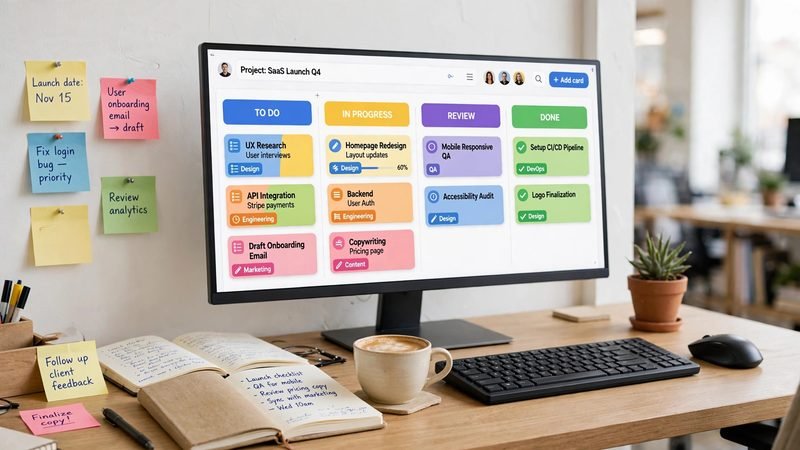
The best project management tools in 2026 all promise the same thing — every task, deadline and conversation in one place — but they serve very different teams. A five-person startup drowns in the tool a 500-person company needs, and a construction firm has little use for a board built for software sprints. This comparison is organised by who each tool actually fits.
We assessed ten leading platforms on the same criteria: how fast a new team member becomes productive, how well the tool handles dependencies and deadlines, what the free and entry tiers really include, and how painful the pricing gets as you grow. Every tool below is one we would genuinely shortlist for the team it suits best.
What Separates the Best Project Management Tools from the Rest
Three qualities decide whether a team still uses a tool after month three. First, capture speed: if adding a task takes longer than writing it on a sticky note, people stop adding tasks, and the system quietly dies. Second, views that match the work: boards for flow, timelines for deadlines, calendars for planning — a serious tool needs more than one lens on the same data.
Third, honest pricing. Per-user pricing multiplies fast, and several platforms reserve essentials like automations, guests or reporting for higher tiers. When we call out a tool’s pricing below, it is because the tier structure changes who should buy it — the same due diligence we applied when comparing specialised platforms like house framing software for builders.
The Best Project Management Tools: Our Top 10 for 2026
1. Asana — For Teams Outgrowing Spreadsheets
Asana remains the benchmark for teams graduating from chat and spreadsheets. Tasks, projects, goals and reporting connect cleanly, timelines and dependencies are first-class citizens, and its automation rules quietly remove busywork. New users become useful within a day.
The trade-offs are price and opinionated design: advanced features sit in higher tiers, and very small teams may find it more system than they need. For teams of fifteen to a few hundred, it is the safest recommendation among the best project management tools.
2. Monday.com — Best Visual, Board-First Experience
Monday sells colour and clarity: boards that executives actually read, dashboards that assemble themselves, and templates for everything from marketing calendars to construction schedules. Non-technical teams adopt it fastest of any tool here.
Seat counts and tier minimums push the bill up fast, and power users can bump into its ceiling where dependencies get complicated. For mixed teams that value visibility over depth, it earns its popularity honestly.
3. ClickUp — Best Value for Feature Hunters
ClickUp’s pitch is “one app to replace them all”: tasks, docs, goals, chat and whiteboards in a single workspace, with a free tier generous enough for real work. On a features-per-dollar basis, no other entry among the best project management tools competes.
The abundance cuts both ways — new users face a wall of options, and performance can lag in huge workspaces. Teams with one patient admin to configure it get enormous value; teams without one may prefer something calmer.
4. Trello — Kanban at Its Simplest
Trello invented the mainstream kanban board and remains the easiest way to move work from “to do” to “done”. Power-Ups extend it, Butler automates the repetitive bits, and the free tier covers most small teams entirely.
Its simplicity is also its limit: reporting is thin, dependencies are an afterthought, and large projects sprawl across boards. Many teams start here and migrate as they grow — which is a fine strategy, not a failure.
5. Notion — Best for Teams That Live in Documents
Notion treats projects as an extension of your wiki: specs, notes and tasks share one searchable home, and its databases bend to almost any workflow. For content, product and knowledge teams, that unity is addictive.
Purists should note what it is not: timelines and resource management are workable rather than wonderful, and offline support remains a weak point. As a project home for writing-heavy teams, though, it is the best project management tools entry that feels least like software and most like a notebook that organises itself.
6. Jira — The Engineering Standard
Jira is the industry standard where the work is code: sprints, backlogs, roadmaps and release tracking wired tightly into development pipelines. Its reporting on velocity and cycle time is what engineering managers actually run teams on.
Outside software, its vocabulary and complexity become friction — nobody should manage a marketing calendar in Jira by choice. Inside software, the ecosystem and integrations keep it the default, deservedly.
7. Microsoft Project — Best for Traditional, Deadline-Driven Plans
For project managers raised on Gantt charts, critical paths and resource levelling, Microsoft Project remains the heavyweight. Its scheduling engine handles the dependency mathematics that lighter tools approximate, and it slots into Microsoft 365 estates without a fight.
It is neither cheap nor casual, and collaboration feels a generation behind the web-native tools. In construction, engineering and enterprise programmes where the plan is a contract, it still earns its licence.
8. Basecamp — Best for Calm, Email-Weary Teams
Basecamp’s philosophy is subtraction: message boards instead of chat chaos, automatic check-ins instead of status meetings, and flat per-company pricing instead of per-seat maths. Teams drowning in notifications find it genuinely restful.
Reporting stays coarse, dependencies are basic, and customisation is limited. For small companies and agencies that value sanity over dashboards, that trade is the entire point — and its flat pricing makes it the budget-predictable pick among the best project management tools.
9. Smartsheet — Best for Spreadsheet Thinkers
Smartsheet looks like a spreadsheet and behaves like a project platform: grids, Gantt views, automations and roll-up reporting across portfolios. Finance and operations teams who think in rows adopt it instantly.
Its interface will never win a beauty contest, and casual collaborators can find it dense. For organisations standardising reporting across many projects, its discipline is precisely the appeal.
10. Wrike — Best for Marketing and Agency Workflows
Wrike targets teams juggling clients and approvals: proofing tools, request forms, cross-department calendars and strong workload views. Agencies and in-house creative teams are its home ground.
Setup takes real effort, and smaller teams may never touch half its depth. For organisations where intake, review and delivery are the bottleneck, it solves the right problems.
Picking Between the Best Project Management Tools
Pilot it for two weeks on live projects, never on demos — vendor demos are choreographed to make chaos look tidy. Give three candidate tools the same live project, involve the two most sceptical team members, and measure one thing: did people keep the system updated without being chased? The tool that survives contact with real habits wins; feature matrices stop mattering by week two.
Also count the whole cost. Per-seat pricing at your size in twelve months, the tier your must-have features live in, and the admin time to maintain it. And protect your focus while you evaluate: half of project management is attention management, which is why we pair this guide with our comparison of Freedom vs Cold Turkey, the distraction blockers that keep deep work possible.
Frequently Asked Questions
Which project management tool is best without paying?
ClickUp and Trello have the strongest free tiers for real work: ClickUp for breadth, Trello for simplicity. Asana and Notion free plans suit individuals and very small teams, but their limits arrive quickly once reporting and automations matter.
What should a small business pick?
Basecamp for flat, predictable pricing and calm communication; Trello or ClickUp if budget is the binding constraint. Small teams should weight adoption speed above features — the best tool is the one all five of you actually open.
Do project management tools replace meetings?
They replace status meetings, not thinking meetings. Automatic check-ins, dashboards and visible task ownership take status questions out of the calendar entirely. Planning and problem-solving still deserve a room; status theatre does not.
How long before a new tool feels normal to a team?
Expect two weeks to basic competence and a full quarter before the tool reflects how the team truly works. Budget for one template cleanup at the end of month one; every team discovers its first setup was wrong in the same three ways.
Shortlist the best project management tools by team shape, pilot with real work, and commit for at least a quarter — the teams that win with these tools are the ones that stop switching.