
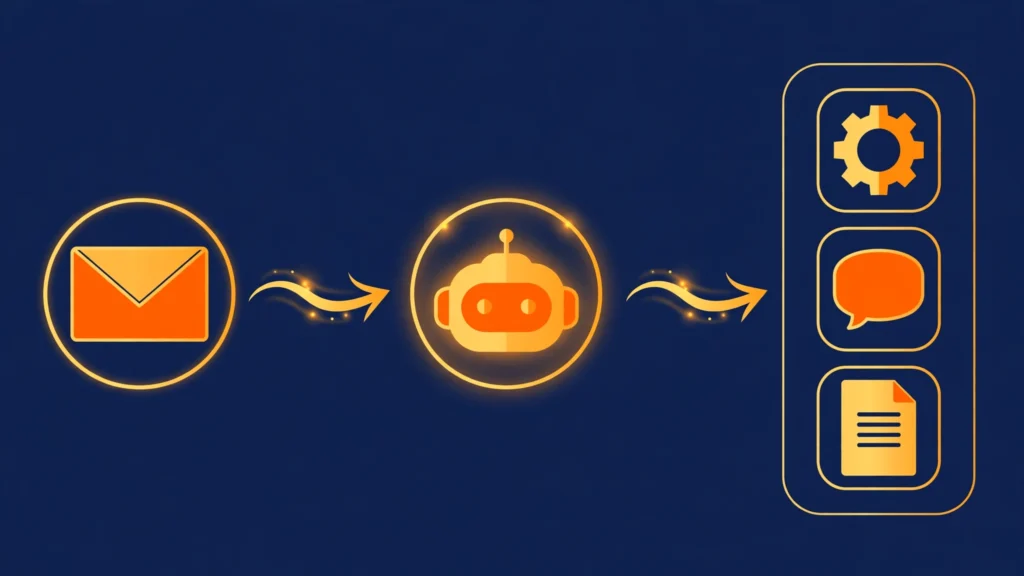
An AI agent platform is where a business stops chatting with AI and starts delegating to it. Instead of a person pasting prompts into a chatbot all day, an agent built on one of these platforms watches a trigger — a new email, a form entry, a row in a spreadsheet — then plans the steps, calls the right tools and finishes the job on its own.
The ten ai agent platforms below cover every route into that world, from free open-source builders you host yourself to ready-made assistants that live inside Slack and your inbox.
The short answer: pick n8n if your team is technical and wants control, Dify if you build customer-facing AI apps on your own documents, Lindy or Gumloop if you want agents without writing code, and Microsoft Copilot Studio if your company already runs on Microsoft 365. The right choice depends less on the AI model and more on how the platform charges you, where it runs, and how much building your team can handle.
AI agent platforms at a glance
| Platform | Best for | Free option | Paid plans from |
|---|---|---|---|
| n8n | Technical teams that self-host | Free self-hosted edition | €20/month cloud (annual) |
| Dify | AI apps built on your documents | Sandbox, 200 message credits | $59 per workspace/month |
| CrewAI | Multi-agent systems in Python | Open source; 50 hosted runs/month | Enterprise (custom) |
| Microsoft Copilot Studio | Microsoft 365 companies | Trial via Microsoft 365 | Copilot licensing + credits |
| Zapier | Agents across 7,000+ apps | Free tier for agents | Scales with usage |
| Gumloop | No-code AI workflows | 14-day trial | $37/month |
| Lindy | Ready-made inbox/ops assistants | 7-day trial with credits | $29.99 per user/month |
| Relevance AI | Sales and ops agent teams | No free tier for new accounts | $19/month (annual) |
| Botpress | Customer-facing chat agents | Free plan | Plus around $150/month (annual) |
| Make | Budget visual automation | Free, 1,000 credits/month | $9/month (annual) |
What is an AI agent platform?
A chatbot answers. An agent acts. An AI agent platform is the software that lets you build, run and supervise those acting systems: you connect a large language model to your apps and data, tell it what outcome you want and where its limits are, and from there it works through the job in a loop — choosing an action, carrying it out, then reviewing the result before the next step.
Most ai agent platforms share the same anatomy — a visual or code-based builder, integrations with tools like Gmail, Slack and your CRM, memory so the agent remembers context, and logs so a human can audit what happened.
The market split into three camps during 2025 and 2026. Open-source frameworks such as CrewAI and the self-hosted edition of n8n give developers total control at the cost of running the servers. Hosted builders such as Dify and Gumloop trade some control for speed. Ready-made assistants such as Lindy skip the building almost entirely — you hire a pre-built agent for a job like inbox triage instead of designing one. Knowing which camp fits your team matters more than any feature list.
The 10 best AI agent platforms compared
1. n8n — best for technical teams that want control
n8n began as a workflow automation tool and grew into one of the most capable ai agent platforms for people who can run a server. Its node-based canvas connects hundreds of apps, and its AI nodes let you attach models, tools and memory to build agents that handle support tickets, enrich leads or process documents end to end. The Community Edition is free and unlimited when self-hosted; n8n Cloud starts at €20 a month billed annually for the Starter plan and €50 for Pro. You pay for your own model usage on top, which keeps heavy workloads cheap but means costs are your problem to watch.
2. Dify — best for AI apps grounded in your documents
Dify is an open-source platform for building LLM applications and agentic workflows, with retrieval (RAG) at its core. If your agent needs to answer from your help centre, contracts or product manuals, Dify’s visual workflow builder and built-in document pipelines make that the shortest path. The cloud Sandbox is free with 200 message credits a month, which is enough to evaluate; the Professional plan costs $59 per workspace per month and lifts the allowance to 5,000 credits. Self-hosting the open-source edition is free, so costs can stay flat as usage grows.
3. CrewAI — best for multi-agent systems in code
CrewAI takes the opposite approach to the no-code tools: your developers write Python and assemble “crews” of specialised agents that hand work to each other — a researcher, a writer, a checker — much like a small team. The framework is open source and free; the hosted platform includes 50 free executions a month, with serious deployments moving to custom-priced Enterprise plans. Choose CrewAI when one agent is not enough and your use case genuinely needs several agents collaborating, and when you have the engineers to build and maintain it.
4. Microsoft Copilot Studio — the obvious pick if you live in Microsoft 365
Copilot Studio is Microsoft’s agent builder, aimed at companies whose work already lives in Outlook, Teams and SharePoint. Agents built here can pull from internal documents, answer staff questions and act inside the Microsoft ecosystem with enterprise security and admin controls attached. Pricing runs through Microsoft 365 Copilot licensing and Copilot Credits rather than a simple per-seat card, so the real cost depends on your existing Microsoft agreement. For a Microsoft-standardised business it is usually the path of least resistance; for everyone else it rarely wins on price.
5. Zapier — best for reach across your existing apps
Zapier’s agent tools sit on top of the largest integration library in this list — more than 7,000 connected apps — so if your stack is unusual, Zapier is the platform most likely to plug into all of it. Its agent builder suits straightforward delegations: watch a source, decide with AI, act in another app. There is a genuine free tier for agents, and paid pricing scales with how much the agents run. Power users may find the builder less flexible than n8n or Dify, but for a small business automating between everyday SaaS tools, the breadth is hard to beat. It is the safest pick among ai agent platforms when integrations matter most. Teams already polishing text with tools like our guide to an AI sentence rewriter will feel at home with this prompt-and-connect style.
6. Gumloop — best no-code builder for operations teams
Gumloop is a hosted, visual builder designed for people who think in flowcharts rather than code. You drag together AI steps and app actions to build agents for scraping, document processing, lead research and reporting. Pricing starts at $37 a month after a 14-day trial, with usage counted in credits — tool calls and compute add up, so a busy agent costs more than the sticker price. There is no permanent free plan, which makes the trial the real evaluation window.
7. Lindy — best ready-made assistant
Lindy flips the model: instead of a builder, you get pre-built agents — an executive assistant that triages email and books meetings, a support agent, a sales agent — that work inside Slack and your existing tools from day one. Plans start at $29.99 per active user per month for 3,000 credits, with a 5,000-credit tier at $49.99, and there is a short trial with starter credits. Credits are pooled across the workspace and do not roll over, so watch consumption in the first month. For a founder or small team that wants the result without a build project, Lindy is the fastest route in this list.
8. Relevance AI — for companies that want agents by the dozen
Relevance AI lets non-developers assemble teams of agents for research, outbound sales and operations work, with templates for common jobs. Pro costs $19 a month billed annually ($29 monthly) for two build users, and Team jumps to $234 a month billed annually — a steep step that suits companies standardising on it rather than experimenting. New accounts no longer get a free tier, so budget for at least a month of Pro to test it properly.
9. Botpress — when the agent’s job is talking to customers
Botpress specialises in conversational agents: support chatbots and customer-facing assistants that plug into your website and messaging channels. It offers a free plan to start, with the Plus tier around $150 a month billed yearly for production use. If your agent’s job is talking to customers rather than running back-office workflows, Botpress’s conversation tooling, knowledge-base handling and channel integrations are more specialised than the general ai agent platforms above.
10. Make — best budget entry point
Make is the automation veteran among ai agent platforms on this list, and its AI features turn its visual scenarios into simple agents at the lowest entry price here: the Core plan is $9 a month billed annually with 10,000 credits, and the free plan includes 1,000 credits a month with two active scenarios. It is less agent-native than n8n or Dify — long, branching, memory-heavy agents stretch it — but for straightforward AI-assisted automations on a budget, nothing else starts this cheap.
How to choose between ai agent platforms
Start with the meter, not the model. Every platform counts something different — executions, message credits, actions, active users — and the same workflow can cost five times more on one platform than another. Estimate your monthly runs honestly, then price each finalist at that volume. Second, decide where the agent runs: self-hosting (n8n, Dify, CrewAI) keeps data in-house and costs flat, while hosted tools charge more as you scale but remove the server work.
Third, check the integrations against your real stack, not the marketing count. Finally, keep a human in the loop for anything that spends money or writes to customers — the platforms above all support approval steps, and the teams that succeed with ai agents for small business use cases almost always start supervised and loosen control gradually. If your agents will draft customer-facing text, pairing them with a checker from our AI humanizer guide keeps the output natural.
Frequently asked questions
Agent platform or chatbot builder — what actually separates them?
A chatbot builder produces a program whose whole job is conversation: it takes in a question and hands back an answer. Ai agent platforms produce a worker instead — something that notices an event, plans a sequence of steps, operates other software and delivers a finished result. Botpress sits closer to the conversation end of the scale, while n8n, Dify and CrewAI aim at autonomous execution, though the categories overlap more every year.
Which AI agent platforms can I start with for free?
If free has to mean zero spend, self-hosting wins: n8n’s Community Edition and Dify’s open-source release run on a small server you control, and developers can build on CrewAI’s framework without paying anything at all. Prefer not to run a server? Make includes 1,000 credits a month on its free plan and Zapier lets agents run on a free tier, while Dify’s Sandbox, with its 200 monthly credits, works best as a test drive.
What should a small business budget for an AI agent platform?
Expect $9 to $60 a month for one serious workflow on a hosted builder (Make, Relevance AI, Gumloop, Dify), or $30 to $50 per user for a ready-made assistant like Lindy. Self-hosting open-source platforms swaps the subscription for a small server bill plus model usage. The trap is usage metering: a busy agent can multiply the headline price, so test with real workloads during the trial.
Can non-technical teams use ai agent platforms?
Yes. Gumloop, Lindy, Zapier and Relevance AI are designed for people who never write code, and Dify’s visual builder is manageable for a technical-minded marketer or operations lead. The code-first tools (CrewAI, and self-hosted n8n at full power) reward having a developer, but no-code platforms now cover most small-business use cases.
Are AI agent platforms safe for customer data?
They can be, if you choose deliberately. Self-hosted platforms keep data on your own infrastructure. Hosted platforms vary in certifications and data handling, so check their security pages before connecting customer systems, restrict each agent to the apps it actually needs, and keep human approval on actions that send, spend or delete.
Final thoughts
The best ai agent platforms share one trait: they make a small team feel bigger without adding headcount. Start with a single, boring, high-volume job — inbox triage, lead enrichment, document filing — on whichever of these ai agent platforms has the pricing meter that fits that job run it supervised for a month, and only then hand it the keys. The teams winning with agents in 2026 are not the ones with the cleverest setup; they are the ones who picked a platform they could afford to leave running. You can start comparing the most flexible option right now at n8n.io.