
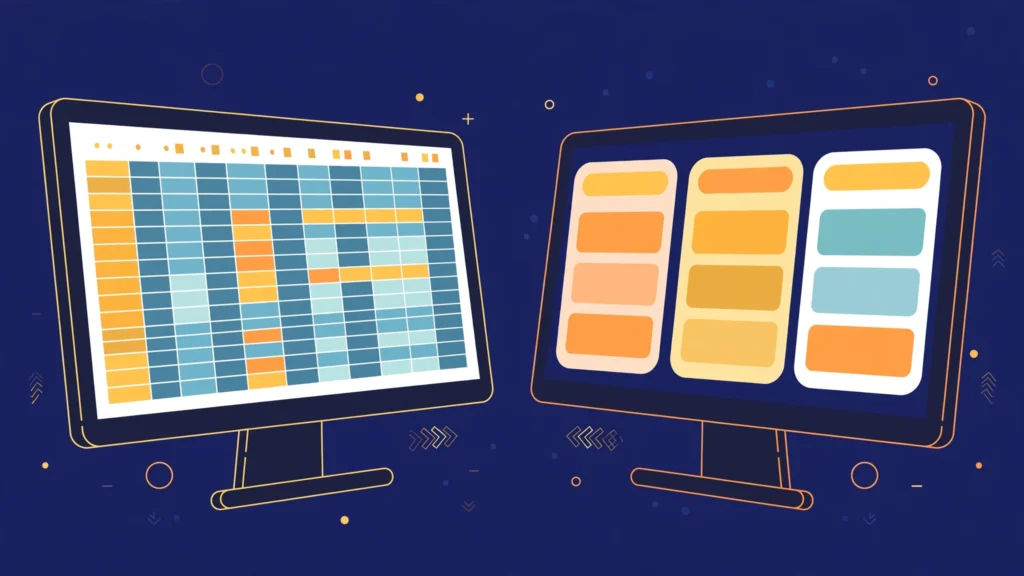
Airtable vs Monday is the comparison almost every growing team runs into, because the two tools look similar in screenshots and behave very differently in real life. Airtable is a relational database wearing a spreadsheet’s clothes: your data comes first, and you build views, forms and interfaces on top of it. Monday.com is a work-management board system: your projects come first, and the data lives inside boards built for tracking who is doing what by when. Neither is better in the abstract — the winner depends on whether your team’s pain is messy data or messy projects.
The short verdict: choose Monday if you want ready-made project boards your team will adopt this week at a lower per-seat price, and choose Airtable if you need a real database — linked records, large record counts and custom apps built on your data. Here is the detailed airtable vs monday breakdown on price, limits and daily feel.
Airtable vs Monday at a glance
| Airtable | monday.com | |
|---|---|---|
| Core model | Relational database + app builder | Boards for work management |
| Free plan | 1,000-record limit per base; five editors max | three boards; two seats max |
| Entry paid plan | Team $20/seat/month (annual) | Basic $9/seat/month (annual) |
| Seat rules | Bills editors (and commenters on Team) | Every member billed; 3-seat minimum, sold in packs |
| Data ceiling | 50,000 records per base (Team) | 10,000 items per board (most plans) |
| Automations | 25,000 runs/month (Team) | 250 actions (Standard) · 25,000 (Pro) |
| 10 people, one year | $2,400 (Team) | $1,080 (Basic) · $1,440 (Standard) · $2,280 (Pro) |
Airtable vs Monday: what each tool is really built for
Airtable starts from the table. A base holds linked tables — products linked to orders, clients linked to projects — and one record can be viewed as a grid, a calendar, a kanban board or a gallery. Interfaces let you build simple internal apps on that data, and forms feed it cleanly. Teams reach for Airtable when the information itself is the asset: content inventories, catalogues, CRMs they want shaped their own way, asset libraries.
Monday starts from the board. A board is a project made visible — items as rows, columns for owner, status, due date and budget — and the product is optimised for managers who want the status of everything at a glance. Its templates, dashboards and workload views assume the question is “where does this stand?” rather than “how does this data connect?”. That difference in starting point explains nearly every pricing and limits difference below.
Airtable vs Monday pricing: monday is cheaper per seat, Airtable bills fewer people
On headline price it is not close. Airtable Team costs $20 per seat per month billed annually ($24 monthly), and Business costs $45 ($54 monthly). Monday’s work-management tiers cost less at every level: Basic is $9 per seat on annual billing, Standard $12 and Pro $19, rising to $12, $14 and $24 if you pay month to month. For ten people on annual billing, that is $2,400 a year for Airtable Team against $1,080 for monday Basic, $1,440 for Standard and $2,280 for Pro.
Two billing quirks narrow that gap in practice. First, Airtable bills the people who can edit (plus commenters on the Team plan), while read-only viewers are free — a 30-person company where only 8 people edit pays for 8 Airtable seats. Monday bills every member, with a 3-seat minimum and seats sold in packs of 3, 5, 10, 15 and so on: an 11-person team buys 15 monday seats.
Second, the fair fight on features is Airtable Team against monday Pro, not Basic, because both allow 25,000 automation runs or actions a month; at that pairing the prices are nearly level. Check the live figures before you buy at monday.com/pricing and Airtable’s pricing page, since both vendors adjust plans regularly.
Airtable vs Monday: where the ceilings sit
Airtable sets its ceiling high and raises it as you pay more: a base holds 1,000 records on Free, 50,000 on Team, 125,000 on Business and 500,000 on Enterprise Scale — and one base can hold many tables, so a Team workspace can hold far more than 50,000 records in total. Monday caps a board at 10,000 items on every plan except Enterprise (100,000), and while you can run many boards, a single fast-growing tracker — a big CRM list, a year’s worth of tickets — hits that wall sooner than teams expect.
Automation quotas split the other way at the low end: Airtable Team includes 25,000 runs a month, while monday Standard allows only 250 actions and Pro matches Airtable at 25,000. Storage follows the same pattern, from 5 GB on monday Basic to 20 GB of attachments per base on Airtable Team.
Features and daily feel
Day to day, monday is easier to hand to a non-technical team: the boards look friendly, statuses are colour-coded, and managers get dashboards without building anything. Airtable asks a little more of the person setting it up — fields, links between tables, view logic — then rewards them with a system that can mirror how the business actually works.
Both tools now push AI features and large integration libraries, and both connect happily to the wider stack most teams run, from the tools in our best project management tools roundup to the time clock software your operations team may already use. Airtable’s Interface Designer is the differentiator for internal tools; monday’s differentiator is how little training a new hire needs. That daily feel is where airtable vs monday stops being a spec sheet and becomes a habit.
Airtable vs Monday: which should you choose?
Choose Airtable if your data has relationships that matter, if any single list will grow past ten thousand rows, if you want to build small custom apps without developers, or if only a handful of people edit while many people view. Choose monday if the work is project-shaped, if managers live in status dashboards, if you want the lowest per-seat price at small team sizes, and if adoption speed beats structural flexibility. Honest tie-breaker: build your ugliest real workflow in both free plans this week. The tool that bends without breaking is your answer — databases reveal themselves fast, and boards do too.
Frequently asked questions
Is Airtable or Monday cheaper?
Monday is cheaper per seat at every comparable tier: Basic starts at $9 per seat per month billed annually against Airtable Team at $20. But Airtable only bills editors (and commenters on Team), while monday bills every member in seat packs with a 3-seat minimum, so a team with many viewers and few editors can pay less on Airtable despite the higher seat price.
What is the main difference between Airtable and Monday?
Airtable is a relational database you build apps on; monday is a board-based work manager. Airtable links records across tables and scales to 50,000 records per base on Team, while monday organises work into boards capped at 10,000 items each and focuses on status tracking, ownership and deadlines.
Can Monday replace Airtable, or Airtable replace Monday?
Sometimes. If you use Airtable as a simple project tracker, monday will feel like an upgrade in clarity. If you use monday as a light database — lots of linked lists and lookups — Airtable will handle the data better. The tools overlap in the middle (small teams, simple tracking) and diverge at the edges, which is where your real workflow decides.
Do Airtable and Monday have free plans?
Both do. On Airtable’s free tier you get 100 automation runs a month, bases capped at 1,000 records each, and room for as many as five editors. Monday’s free tier is smaller still: three boards, shared between at most two seats. Both are enough to run the build-your-worst-workflow test we recommend before paying for either.
Which is better for a small business, Airtable or Monday?
For most small businesses, airtable vs monday ends quickly: monday is the easier start — cheaper seats, faster adoption, less setup. Small businesses whose core problem is data — inventories, catalogues, pipelines with linked records — get more from Airtable. Start from the problem, not the product name.
Final thoughts
The airtable vs monday debate resolves quickly once you name your real bottleneck. Data problem? Airtable’s database, record limits and interfaces were built for exactly that. Coordination problem? Monday’s boards, pricing and gentle learning curve get a whole team aligned faster. Both are excellent at what they are for — the only wrong choice is buying the database when you needed a board, or the board when you needed a database.