
A single typo in a job application, a client proposal or a published article can undo an hour of good work in a second.
Readers forgive a plain sentence; they rarely forgive a careless one. The good news is that running a grammar and spelling check free of charge is now a two-minute habit rather than a professional service: the best online tools catch the large majority of errors before anyone else sees them, and the strongest free tiers are genuinely free, not trials wearing a costume.
This guide compares the tools that do a grammar and spelling check free in 2026, explains what they catch and what they quietly miss, and shows the checking routine that turns a decent draft into a clean one. It is written for students, jobseekers, freelancers, bloggers and anyone whose writing travels further than their desk.
What a Free Grammar and Spelling Check Actually Catches
Modern checkers work in layers. The first layer is the spell checker: words that do not exist in the dictionary, doubled words, and the classic typed-too-fast errors. The second layer is grammar: subject–verb agreement, tense slips, missing articles, dangling modifiers and sentences that run on until they collapse. The third layer — punctuation and mechanics — handles comma splices, apostrophes, capitalisation and the thousand small conventions that make text look professional instead of merely correct.
The better tools add a fourth layer: style. They flag passive voice where it weakens a sentence, repeated words your eye skipped, and phrasing that is technically right but awkward. What no free grammar checker does reliably is judge meaning. A tool will happily approve a sentence that is grammatical, correctly spelled and completely wrong about the facts — which is why the final pass in the routine below still belongs to a human reader: you.
The Best Tools for a Grammar and Spelling Check Free in 2026
Five options cover nearly every writer. All five offer a genuinely usable free tier; they differ in depth, languages and where they work.
| Tool | Best for | What stands out |
|---|---|---|
| Grammarly (free tier) | Everyday writing everywhere | Works in the browser, email and most apps |
| LanguageTool | Multilingual writers and privacy | Checks 30+ languages, open-source roots |
| QuillBot Grammar Checker | Students and quick pastes | No account needed, sits beside a paraphraser |
| Ginger | Sentence-level fixes | Rephrases whole sentences, not just words |
| Microsoft Editor / Google Docs | People who live in documents | Built into Word, Outlook and Docs already |
Grammarly — the default choice
Grammarly’s free tier is the tool most writers meet first, and it earns the position: spelling, basic grammar and punctuation are checked wherever you type, from Gmail to Word to a WordPress editor. The paid tier adds tone, clarity rewrites and plagiarism detection, but for a straightforward grammar and spelling check free of charge, the free version handles the everyday workload without complaint.
LanguageTool — best free alternative to Grammarly
Writers who search for a free alternative to Grammarly usually land on LanguageTool, and for good reason. It checks more than thirty languages and dialects, respects the difference between American and British English more carefully than most, and its core is open source, which matters if you would rather your drafts were not training data. The free tier limits text length per check; the checking quality itself is not hobbled.
QuillBot — best for quick, no-fuss checks
QuillBot’s grammar checker wins on friction: open the page, paste the text, read the corrections. No account, no installation. Because it sits next to QuillBot’s paraphrasing tool, it suits students who draft, check and occasionally rework a sentence in one sitting. Its explanations are thinner than Grammarly’s, so treat it as a fast net rather than a teacher.
Ginger — best for broken sentences
Most checkers fix words; Ginger is unusually willing to rebuild the whole sentence. That makes it valuable for writers working in a second language, whose errors are often structural rather than typographical. Its free checker is more limited in length, but for a stubborn paragraph nothing else on this list rephrases as boldly.
The checkers you already own
Before installing anything, look at what is on your machine. Microsoft Editor is built into Word and Outlook and works free in the browser; Google Docs underlines spelling and grammar issues as you write, with suggestions a click away. Neither matches the best dedicated tools for style, but for spelling and core grammar inside documents you already write, they cost nothing and ask nothing.
How to Run a Grammar and Spelling Check Free Online: The Routine
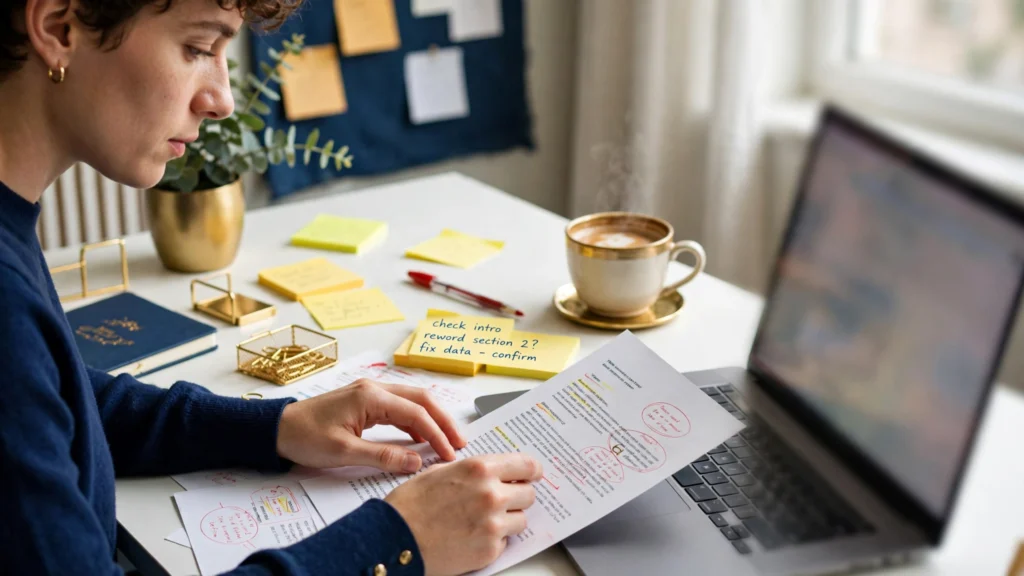
The tool matters less than the routine. Writers who paste, accept everything and move on publish checked-but-wrong text every day. This five-step pass takes minutes and catches what one click misses. A grammar and spelling check free online only helps if you stay in charge of it.
Set the dialect first. American and British English disagree about spelling, commas and dates. A checker set to the wrong dialect will “correct” your text into the wrong standard all day.
Check in chunks. Paste a section at a time rather than a whole book chapter; suggestions stay readable and you stay in charge
Judge every suggestion. Accept the clear errors, but interrogate the style flags — a checker that flattens every sentence into the same shape is editing your voice, not your grammar.
Read the result aloud. Your ear catches the repeated word, the missing “the” and the sentence that never ends, even when the screen insists all is well.
Check once more after edits. Fixes introduce new errors with embarrassing reliability; a final quick pass is the cheapest insurance in writing.
What Free Checkers Still Get Wrong
Knowing the blind spots keeps you the editor rather than the assistant. Proper nouns are the first: checkers flag real names, product terms and technical vocabulary as spelling errors until you teach them your dictionary. Context is the second — “their”, “there” and “they’re” are all dictionary words, and while good tools now catch most swaps, homophones in unusual sentences still slip through. The third blind spot is confidence: a checker will present a wrong suggestion with the same calm authority as a right one, especially around commas and idiom. And a practical warning for sensitive work: when you run a grammar and spelling check free online, the tool processes your text on its servers, so contracts, unreleased manuscripts and private documents deserve a thought about which tool — if any — should see them.
Grammar Check, Proofreading and Editing Are Not the Same Job
Writers use these words interchangeably; they are three different passes. A grammar check fixes correctness — spelling, agreement, punctuation. Proofreading is the final hunt for surface errors in a finished piece, the pass that catches the typo on the poster. Editing happens earlier and deeper: it questions structure, cuts paragraphs, moves arguments and rewrites sentences for clarity, which is the stage where a tool like an AI sentence rewriter earns its keep. Free checkers are excellent at the first job, helpful at the second and no substitute for the third. Expecting one paste to do all three is how errors survive a “checked” document.
Frequently asked questions
Which tool should most people pick for a free grammar and spelling check?
For most people, Grammarly’s free tier is the easiest way to run a grammar and spelling check free every day, because it follows your writing into the browser and your apps instead of waiting on one website. If you write in several languages or care about open-source software, LanguageTool is the better default.
How close do free grammar checkers come to the paid versions?
For spelling and core grammar, nearly — the free tiers use the same engines for basic errors. Paid tiers add advanced style rewrites, tone detection, plagiarism checks and longer text limits. If your writing is professional and public, the upgrade is about depth, not basic correctness.
Can I check British and American English with free tools?
Yes. LanguageTool is the most careful with dialect differences, and Grammarly also lets you set your English variant. Whichever tool you use, set the dialect before checking — it changes which spellings and comma rules the checker enforces.
Do free grammar checkers store my text?
Policies differ. Cloud checkers process text on their servers, and some use anonymised data to improve their models. Read the privacy page of any tool before pasting confidential documents, and prefer tools with clear no-retention or open-source options for sensitive work.
Will a grammar checker catch every error in my essay?
No checker catches everything — expect the large majority of spelling and grammar errors, not all of them, and not factual or structural problems at all. The routine above, especially reading aloud afterwards, exists to catch the remainder.
Can you get a Grammarly-style check for free, without an internet connection?
LanguageTool can be self-hosted or used through desktop integrations that reduce cloud dependence, and the built-in checkers in Word and LibreOffice work fully offline for spelling and basic grammar. For a fully offline style check, expectations should stay modest — the strongest engines live in the cloud.
The Bottom Line
Running a grammar and spelling check free online takes two minutes and saves the kind of embarrassment that lingers. Start with Grammarly’s free tier or LanguageTool, set your dialect, judge the suggestions instead of accepting them blindly, and read the result aloud. Writers who publish often usually build a small toolkit around the checker — a rewriter for stubborn sentences and, for AI-assisted drafts, a tool that keeps the text sounding human, such as the undetectable AI humanizer in our AI writing cluster. Treat the checker as your final safety net — and run it every time, not just when you remember.