The best time clock software records employee hours accurately, turns them into clean timesheets and feeds payroll without manual chasing. For most small businesses, Buddy Punch is the best overall pick, Jibble is the best free option, and Connecteam leads for teams that work away from a desk.
This guide compares eight time clock tools on price, clock-in methods, GPS and geofencing, overtime handling and payroll exports. Every tool below is actively maintained, works on phones as well as desktops, and can be set up in under a day.
| Software | Best for | Starting price | Free plan |
|---|---|---|---|
| Buddy Punch | Best overall for small business | $19 base + $5.99 per user/month | No |
| Jibble | Best free time clock software | Free | Yes, unlimited users |
| Clockify | Project-based teams | Free; paid from $3.99 per user/month | Yes |
| Connecteam | Deskless and field teams | Free for up to 10 users; paid from $35/month | Yes |
| Homebase | One location with hourly staff | Free basic plan | Yes |
| Deputy | Scheduling and labor compliance | From $5.50 per user/month | No |
| QuickBooks Workforce | QuickBooks Payroll users | $50 base + $7 per user/month | No |
| ShiftFlow | Scheduling and time clock in one app | From $5.99 per user/month | No |
What is time clock software?
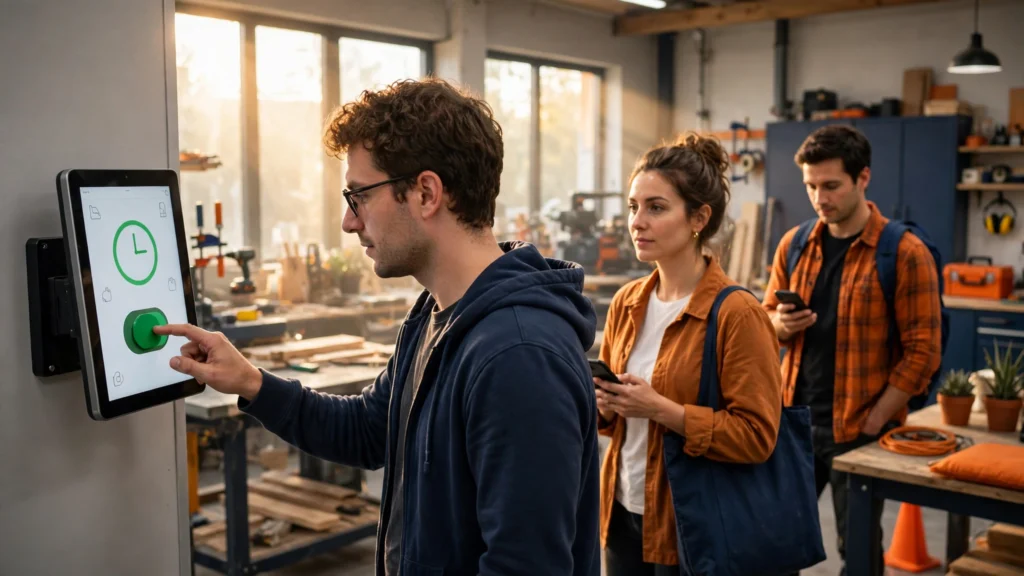
Time clock software is a digital system that records when employees start and finish work, including breaks and overtime. Staff clock in from a phone app, a shared tablet kiosk, a web browser or a PIN terminal, and the software converts those punches into timesheets a manager can approve and send to payroll.
Modern employee time clock software adds controls that paper cards and spreadsheets cannot match. GPS stamps show where a punch happened, geofencing blocks clock-ins from outside the job site, and face recognition or photo capture stops buddy punching, where one worker clocks in for another. The result is a time and attendance record that is accurate enough to defend in a wage dispute and clean enough to export straight into payroll.
The 8 best time clock software tools compared
1. Buddy Punch: best overall time clock software for small business
Buddy Punch covers the full routine in one place: clock-ins by app, web or kiosk, GPS location stamps, job codes, paid time off tracking and timesheet approvals. Managers can require a photo on punch, set automatic punch-outs so nobody stays clocked in overnight, and apply break rules that keep the business on the right side of labor law.
It integrates with QuickBooks, ADP and other major payroll providers, so approved hours move across without retyping. Pricing starts at $19 a month plus $5.99 per user, with the Pro plan unlocking geofencing, kiosk punches and break compliance. For a small team that wants one dependable system, this is the safest first choice.
2. Jibble: best free time clock software
Jibble is free forever for unlimited users, and unusually, the free plan includes the anti-fraud tools rivals charge for: face recognition, GPS tracking and geofenced clock-ins. Employees clock in from their phones, a shared kiosk or the web, and timesheets build themselves in the background.
Paid tiers add advanced reporting, project tracking and policy controls, but many small businesses never need them. If the budget is zero and the team still needs verified attendance, Jibble is the strongest free time clock software available today.
3. Clockify: best for project-based teams
Clockify blends a simple time clock with project time tracking, which suits agencies, studios and service firms that bill by the hour. Staff start a timer or clock in against a project, and managers see hours split by client, task and billable status instead of one undifferentiated total.
The free plan covers unlimited users with basic tracking, and paid plans start at $3.99 per user a month billed annually, adding GPS, scheduling and time-off management. Teams already comparing the best project management tools will find Clockify pairs well with whichever platform they choose.
4. Connecteam: best time clock app for deskless teams
Connecteam is built for workers who never sit at a desk: construction crews, cleaners, drivers, carers and field technicians. Its time clock app uses one-tap clock-ins with GPS breadcrumbs, job and shift tagging, and automatic timesheets that managers approve from their own phones.
Beyond the clock, Connecteam bundles scheduling, task lists and team chat, which replaces several separate subscriptions. The free plan covers up to 10 users, and paid plans start at $35 a month for the first 30 users, making it unusually good value for growing field teams.
5. Homebase: best for a single location with hourly staff
Homebase targets restaurants, cafes, salons and retail stores that run one location with hourly employees. The free plan includes time clocks, scheduling and team messaging, and employees clock in on a tablet at the counter or from their phones with GPS snapshots.
Paid tiers add payroll, hiring tools and advanced schedule rules. For a single-site business that wants the clock, the rota and staff communication in one free starting package, Homebase is hard to beat.
6. Deputy: best for scheduling and labor compliance
Deputy is a workforce platform where the time clock and the schedule are designed together. Managers build rotas with labor costs visible, staff clock in on kiosks or phones with facial recognition, and the software flags overtime, missed breaks and under-age or over-hour risks before they become violations.
Pricing starts at $5.50 per user a month. Hospitality, healthcare and retail businesses with strict award or union rules get the most from Deputy, because its compliance engine is the deepest on this list.
7. QuickBooks Workforce: best for QuickBooks users
If your accounts already run on QuickBooks Payroll, QuickBooks Workforce — the product once sold as TSheets — drops straight into that setup as its time clock. Hours flow directly into QuickBooks with job costing attached, so payroll and invoicing share the same numbers without exports or imports.
Employees clock in from the mobile app with GPS, and managers get project timelines and crew scheduling. It costs $50 a month plus $7 per user, which is the premium end of this list, but QuickBooks households save that back in bookkeeping time. It also pairs neatly with the cloud based accounting software a small business may already use.
8. ShiftFlow: best for scheduling and time clock in one place
ShiftFlow connects scheduling, the time clock and team chat in a single light app, which suits small teams that find bigger platforms bloated. Clock-ins carry GPS, schedules publish to phones, and timesheets export in payroll-ready formats.
Reporting is less deep than Deputy or Buddy Punch, so businesses that need project-level billing detail should look elsewhere. Pricing starts at $5.99 per user a month or $60 per user a year, with a 14-day free trial.

Time clock software vs time tracking software
The two terms overlap, but they are not the same. Time clock software is attendance-first: it proves when someone started, took breaks and finished, and it produces timesheets for payroll. Time tracking software is work-first: it records how long tasks and projects took, usually for billing clients or measuring productivity.
Most businesses need the attendance record first, because payroll and labor law depend on it. The U.S. Department of Labor requires employers to keep accurate time records for non-exempt staff, which is why a governed system beats a shared spreadsheet; its overtime guidance explains the record-keeping duties in plain language. Choose a tool that does both only if your team genuinely bills hours to clients.
Key features to look for
Clock-in methods. Phones suit field staff, a tablet kiosk suits a fixed site, and web clock-ins suit office teams. The best time clock software offers several methods and lets you restrict which ones each employee can use.
GPS and geofencing. A GPS stamp proves a punch happened on site, while a geofence prevents clocking in from home or the parking lot. These two features remove most attendance disputes before they start.
Overtime and break rules. Good software applies your overtime thresholds, meal-break rules and rounding settings automatically, so timesheets arrive payroll-ready instead of needing manual fixes every week.
Payroll integrations. Check that the tool connects to your payroll provider, whether that is QuickBooks, ADP, Gusto or another platform. A native integration saves more time than any other feature on this page.
Approvals and reports. Managers should approve timesheets in a couple of taps, and owners should see labor cost by department, location or job without exporting anything.
How to choose the right time clock software
Start with where your people work. A fixed site can use one kiosk and almost any tool; a mobile workforce needs GPS, geofencing and a phone app that works with poor signal. Next, match the tool to your payroll: pick the option with a native integration, because manual hour transfers are where errors and wasted Fridays come from.
Then do the budget maths at your real headcount, including base fees. Finally, run a two-week trial with one team, watch where punches fail or confuse people, and only then roll it out to everyone.
How much does time clock software cost?
Most tools charge per user each month, sometimes on top of a base fee. Free plans exist from Jibble, Clockify, Connecteam and Homebase, with limits on features or users. Paid plans on this list run from $3.99 to about $7 per user a month, plus base fees of $19 to $50 where they apply.
For a 10-person team, expect roughly $40 to $120 a month all-in. That is cheap insurance: a single corrected payroll error or one avoided wage complaint usually costs more than a year of software.
Frequently asked questions
What is the best time clock software for small business?
Buddy Punch is the best overall choice for most small businesses, balancing price, GPS controls and payroll integrations. Jibble is the best free option, and Connecteam suits deskless teams best.
Is there free time clock software?
Yes. Jibble is free forever for unlimited users including face recognition and geofencing, while Clockify, Connecteam and Homebase offer free plans with feature or user limits.
What is the difference between a time clock app and time tracking software?
A time clock app records attendance: start times, breaks and finish times for payroll. Time tracking software records how long tasks and projects take, mainly for billing and productivity analysis.
Can time clock software track where employees clock in?
Yes. Most leading tools attach a GPS location to each punch, and geofencing can block clock-ins that happen outside an approved work area such as a job site or store.
Does time clock software work with payroll?
Almost all of it does. The tools on this list integrate with providers such as QuickBooks, ADP and Gusto, so approved timesheets transfer into payroll without manual data entry.